How to choose an ergonomic office chair for long workdays
Learn how to choose an ergonomic office chair that fits your body and your desk, with checks for seat height, depth, lumbar support and casters before you buy.
Filed by Jess Underhill 7 min
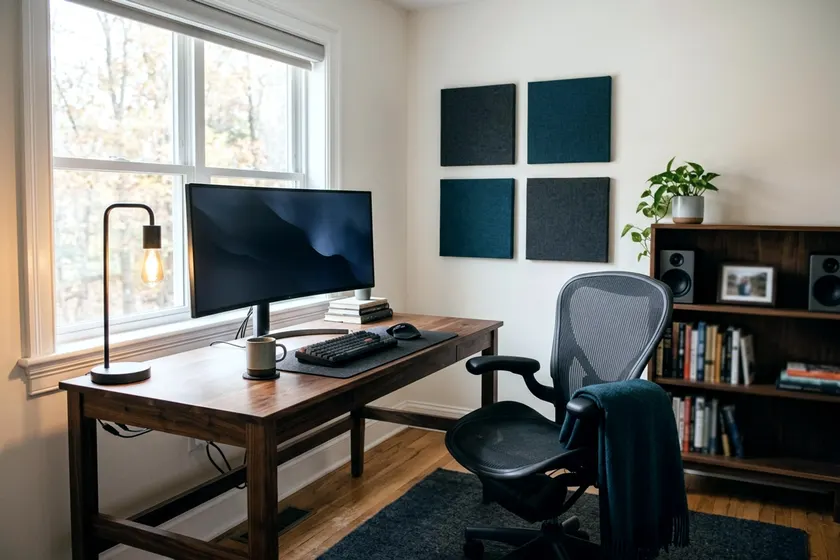
An ergonomic office chair supports your posture and fits your exact measurements to keep you comfortable through a long workday. You get the right fit by matching the seat height, depth, and backrest to your body before you buy. Whether you pick a gaming chair or office chair, the rules of physical fit stay the same.
Measure yourself and your desk before you shop
You need a few measurements to find a chair that fits your workstation and your frame. Grab a tape measure, a notebook, and a pen. Record these numbers before you look at a single chair.
- Measure the distance from the floor to the crease at the back of your knees while sitting with your feet flat to find your minimum seat height.
- Measure across your hips while sitting and add extra width to ensure you have room to shift your weight comfortably.
- Measure the exact distance from the floor to the underside of your desktop so you know the chair can slide underneath.
Your body proportions are unique. A tall person with a short torso needs a different chair than a shorter person with long legs. Getting these numbers right helps you avoid buying a chair that forces your body into awkward angles.
You should check what height your desk should be first. This ensures your new chair and your existing desk will work together. Measure the width of the knee space under the desk as well. Your legs must not end up cramped against the desk legs.
Set the seat height so your feet rest flat
The right seat height keeps your body weight evenly distributed across your thighs and your feet. According to OSHA, a chair seat is at the right height when the whole sole of your foot can rest on the floor.
Resting your feet flat can relieve pressure on your thighs, while dangling feet leave your legs with less support.
Many people find it comfortable to keep their hips about level with or slightly above their knees.
A chair with a pneumatic cylinder lets you adjust this height while you sit. Sit on the seat and pull the lever under the cushion. Lower the chair until your feet are completely flat. If you feel pressure right behind your knees, the chair is too high.
Your desk height might force a compromise. Raising the chair to reach a tall desk often lifts your feet off the floor. OSHA notes that a footrest helps if the seat cannot go low enough. A firm footrest brings the floor up to your feet and restores your posture.
Check seat depth against the back of your knees
Seat depth is the distance from the backrest to the front edge of the seat pad. A seat that is too deep will press hard against the back of your calves and knees. This can leave your lower legs and feet uncomfortable during a long shift.
A seat that is too shallow leaves your thighs unsupported. This puts extra pressure on your sitting bones. Your legs may ache after a few hours.
Sit all the way back in the chair so your shoulder blades touch the backrest. You want a small gap between the front edge of the seat and the back of your knees. You can test this by sliding your fingers into the space.
If you cannot fit your fingers in the gap, the seat is too deep. The front edge of the seat cushion often slopes downward to reduce pressure on your thighs. Even with a sloping edge, the depth must be correct.
Many ergonomic chairs solve this problem with a sliding seat pan. This lever under the seat lets you push the cushion forward or backward. The backrest stays bolted in place while the seat moves. A slider makes a chair adaptable if different people share the same spare room home office.
Find lumbar support that moves to fit your back
The human spine curves inward at the lower back. A straight, rigid backrest forces you to slump forward to reach your keyboard. A good lumbar support fills this inward curve to hold your posture naturally. It helps support your lower back.
OSHA recommends a lumbar support that adjusts in height so it fits the small of your back. A fixed piece of plastic can dig into your back if it sits too high and miss your lower curve if it sits too low.
Look for a dial or a sliding mechanism on the back of the chair frame. Sit in the chair and slide the support until it rests securely inside your lower back curve. The lumbar support must make firm contact with your lower back. Without that contact, the support does little for you.
Your back also benefits from moving during the day. OSHA says a backrest should recline at least 15 degrees from vertical and lock in place or have adjustable tension. A tension knob under the seat controls how much force you need to lean back.
You want enough resistance to hold you upright while you type. You also want enough give to let you recline when you take a phone call. Some chairs use a synchronous tilt mechanism. This tilts the backrest faster than the seat pan to keep your feet planted on the floor.
Decide whether you need armrests at all
Armrests can support the weight of your arms. They often get in the way of a good working posture though. OSHA says armrests should be soft with rounded edges, and that you should remove them if they cannot be adjusted properly or interfere with your workstation.
If the armrests sit too high, they push your shoulders up toward your ears. If they sit too low, you have to lean to one side to use them.
Check how the armrests adjust before you buy. Basic chairs only let you change the height. Better models have arm pads that move up and down, slide forward and backward, and pivot inward. This flexibility lets you bring the support close to your body while you type.
Armrests that bolt to the seat pan often widen the chair. This creates problems if you have a narrow desk opening. Think about how you type and read. If your forearms rest completely on your desk, the armrests on your chair will only get in your way.
You also need to check the armrest height against your desk clearance. Fixed armrests often hit the edge of the desktop. This stops you from pulling your chair close to your keyboard.
When you sit too far from your desk, you tend to lean forward. If the armrests prevent you from sitting properly at your desk, you are better off grabbing a screwdriver and taking them off entirely.
Pick a base and casters that suit your floor
The base of your chair takes all your body weight and the twisting forces of you moving around the room. OSHA recommends a strong base with five legs, since chairs with four or fewer legs may give poor support and are prone to tipping.
A heavy metal or reinforced nylon five-star base keeps you stable when you lean back to grab a file.
Check the weight limit on the chair base before you buy. Pick a chair whose listed weight rating is comfortably above your own weight.
You also need the right wheels for your floor material. Hard plastic casters come standard on most office chairs in the box. These work well on thick carpets because they roll smoothly over the fibers.
Hard casters can scratch a hardwood, laminate, or tile floor over time. They also roll too fast on hard surfaces. The chair can slip out from under you when you try to sit down.
If your workspace has hard floors, swap the standard wheels for soft rubber casters. These rubber wheels grip the floor to keep the chair steady. They also tend to run quieter. A thick, clear plastic floor mat is another option if you rent your apartment and cannot risk damaging the floorboards.
Test a chair for a full hour
Sitting in a chair at a retail store for a few minutes tells you nothing about a full workday. A thin layer of cheap foam padding feels soft when you first sit down. That same foam can compress and feel firmer after some real work.
Find an office supply store with floor models assembled and ready to test. Take a laptop, a tablet, or a book, and sit in the chair for at least an hour. Adjust the seat height so your feet rest flat.
Shift the lumbar support up and down. Turn the tension knob and test the recline. Pay close attention to any hard pressure points on your thighs, your lower back, or your tailbone.
Try moving around in the chair, like reaching for a pen or leaning back to read. A good ergonomic chair moves with your body and supports you in multiple postures rather than locking you into one position. If anything pinches, squeaks loudly, or feels unstable during your test, walk away and try a different model.
If you buy a chair online, read the return policy carefully before you pay. You want a home trial period that gives you time to test it fully. Keep the original cardboard box and all the internal packing materials in your garage.
A chair that looks highly adjustable on a website may still not fit your frame. You need a simple way to pack it up, tape the box closed, and send it back for a refund.