5 things to check before you buy a standing desk
A standing desk can fit your home office routine, but only if you buy the right size and style. Here are five things to check before you buy one.
Filed by Jess Underhill 6 min
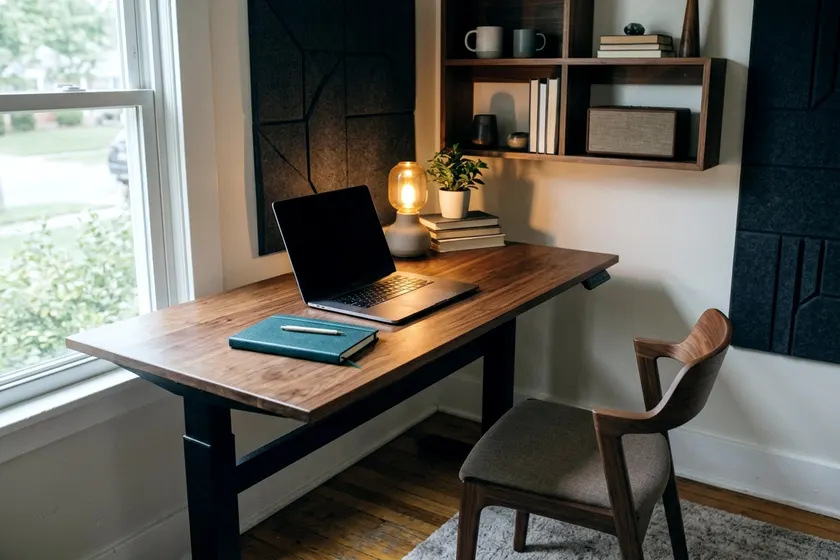
A standing desk lets you work on your feet. You still need to find one that fits your space and your routine. Check the height limits, the frame stability and the surface area before you buy.
1. Check the height range against your own standing elbow height
A desk that stops short of your elbows can force you to hunch over the keyboard. Before you look at frames online, stand in your regular work shoes. Keep your legs, torso, neck and head roughly in line and vertical with your feet slightly apart, as the Occupational Safety and Health Administration describes a good standing posture. Bend your elbows and have a friend measure the exact distance from the floor to the bottom of your elbow.
Compare that measurement to the maximum height of the standing desk to make sure it accommodates your height. You want a frame that extends a little past your elbow height. This extra height gives you room to add a foam anti-fatigue mat or wear thicker shoes in the winter. A desk that goes a little higher than you need is often better than one that forces you to reach down.
You should also check the lowest setting. A good frame needs to drop far enough for you to sit comfortably in your office chair. A desk that lowers properly accommodates shorter adults without making their feet dangle. You can read more about what height your desk should be to get the setup right.
2. Test for wobble at full height
Most desks feel stable when it rests at its lowest sitting height. The real test happens when you raise the surface for standing. A frame with thin steel legs can sway side to side as you type, and this lateral movement shakes your monitors. Heavier frames with thicker steel columns often resist this bouncing motion better.
Pay attention to the shape and build of the lifting columns. Two-stage legs have two overlapping metal tubes, while three-stage legs use three. Compare the stage count and any stability rating the maker gives. Look for a sturdy frame that feels solid on its own without the top.
A crossbar often adds stiffness to the whole assembly, whether it is a steel bar near the floor or a wedge bracket under the desktop. If you can test a desk in a store, press a button to raise it to your standing height. Push firmly against the front edge of the top. A sturdy frame should give only a little and settle quickly, while a weak frame keeps rocking.
3. Choose a desktop size that fits the room and your monitors
Measure your available floor space before you look at desktops. A compact rectangular surface holds one monitor, a keyboard and a laptop easily. If you use dual screens or large studio monitors, step up to a wider desktop. This extra width helps keep your heavy monitor bases do not hang over the edges.
Depth matters just as much as width. OSHA recommends placing the monitor directly in front of you and at least 20 inches away. A shallow desk can push a large screen too close to your face. Stick to a deep desktop that gives your keyboard, mouse pad and monitor stands enough breathing room.
Look closely at the edges of the desk because a beveled edge can make it hard to secure a monitor arm clamp. Choose a top with flat, square edges if you plan to mount your screens on heavy steel arms. A solid wood top usually holds screws better than particleboard. This matters if you want to mount a heavy power strip under the desk.
4. Weigh electric motors against hand cranks
A hand crank often lowers the price of a standing desk. You turn a small metal handle tucked under the desktop to lift the frame, which saves money compared to a motorized version. It also frees you from placing the desk near a wall outlet. You can put a crank desk in the middle of a room without a cord trailing across the floor.
The downside is the time and manual effort it takes to change positions. You may have to turn the crank many times to reach your standing height. This sounds easy until you do it four times a day. Some people with hand cranks end up leaving the desk in one position.
Electric desks use one or two small motors to drive the legs up and down. A single motor works fine for a laptop, while dual motors often lift heavier loads more smoothly. Many electric models include a memory keypad where you save your exact sitting and standing heights into the buttons. One press moves the desk to the right spot quickly, which makes switching easier.
5. Plan how you will move between sitting and standing
Buying the desk is only half the job, as you also have to build a routine that keeps you moving. OSHA warns that staying in one posture or sitting still for long periods is not healthy, even with good posture. Standing all day has the same problem, because it keeps you in one posture. You should aim to alternate between sitting and standing through the day.
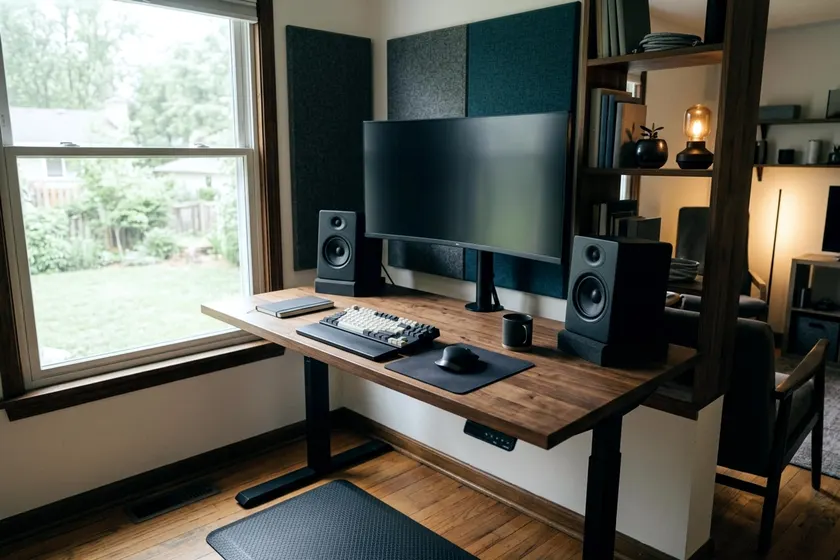
Start slowly if you are used to a regular desk and build up the standing periods gradually. OSHA notes that you may rest one foot on a footrest while working in a standing posture. A small, sturdy box can serve as a footrest. Propping one foot up shifts your weight a little.
Do not stay locked in one rigid spot behind the keyboard. OSHA suggests standing up and walking around for a few minutes periodically. Step away from the screens entirely to grab a drink of water or look out a window. A standing desk makes this natural because you are already on your feet.
How to finish the space around the desk
A hard floor can be tiring on your feet, so consider an anti-fatigue mat. Slide the mat out of the way when you bring your office chair back in. Rolling a heavy chair over a foam mat can damage it.
You also need a plan to route your power cables so they reach when the desk is raised. If a short cord snags, it can rip the plug from the wall or yank a monitor off the desk. Use a power strip rated for your equipment, with a cord long enough to reach the outlet at full height, and fasten it with the mounts its maker recommends, making sure screws do not poke through the desktop.
Plug your monitors, computer and phone charger into this attached strip so only one thick cord has to travel down the desk leg to the wall outlet. Use plastic zip ties or fabric sleeves to pin this main cord to the metal frame. If you have several devices, read about ways to manage desk cables so your cords stay tidy.