Gaming chair or office chair for long hours at a desk
Choosing between a gaming chair vs office chair comes down to support and style. Find out which seat suits long hours of working and playing.
Filed by Alex Whitcomb 7 min
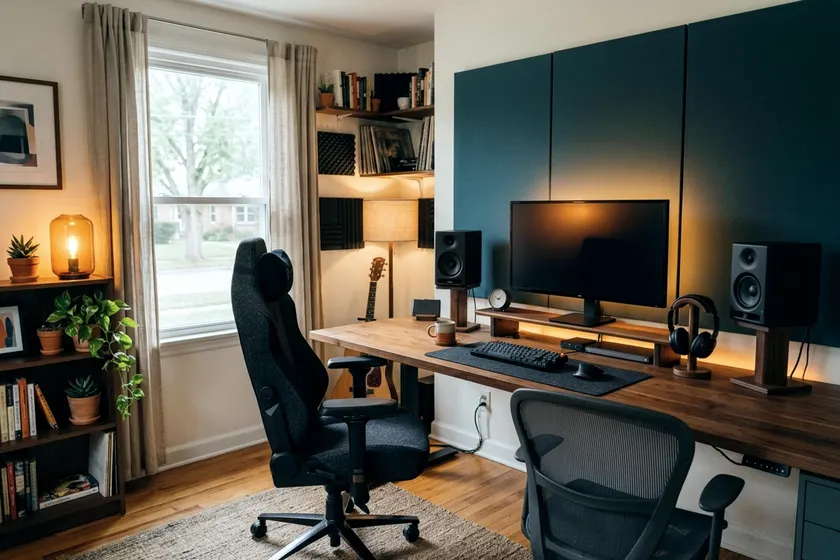
An office chair usually gives your back better support for typing and staring at spreadsheets. A gaming chair gives you a deep recline and head support for relaxed play. When you work and play at the same desk, an ergonomic office chair is usually the better fit for long hours.
The choice between a gaming chair vs office chair shapes how you feel at the end of a long day.
How the two chair styles differ
Gaming chairs take their shape from racing car seats, featuring high backs, side wings that hug your shoulders, and a bucket seat with raised edges. While this design keeps a race car driver from sliding around tight corners, that shape may do little for you at a computer desk. The side bolsters can crowd your shoulders, and the raised seat edges can limit how much you shift your legs.
Office chairs skip the racing style and focus on open space. They feature wide, flat seats that let you change your posture. You can shift your weight, open your knees, or even sit cross-legged if the seat is wide enough. The backrest usually stops at your shoulders, giving your arms room to stretch backward.
Both chair styles rely on a wheeled base to move around your room. OSHA recommends a strong base with five legs, since chairs with four or fewer legs may give poor support and are prone to tipping. Check that the chair you pick has a five-leg base and a weight rating that suits you.
Which adjusts better to your body
An eight-hour workday requires a seat that fits your exact frame. Office chairs often offer more adjustments to match your body size.
Seat depth is a major factor for leg comfort. High-quality office chairs let you slide the seat pan forward or backward so the front edge does not press into the back of your knees. Many gaming chairs have a fixed seat pan, and if the seat is too deep for your legs, you have to slouch forward to bend your knees.
Office chairs also let you adjust the tension of the backrest tilt. You can turn a knob under the seat to make the backrest push back against your weight as you lean. OSHA says a backrest should lock in place or be tension adjustable, and many gaming chairs lack a tension dial. They either lock entirely upright or tilt freely, but if you need an ergonomic office chair for long workdays, tension adjustment is worth looking for.
Lumbar pillows against built in lumbar support
Your lower back curves inward naturally. A completely flat backrest can leave that curve unsupported, so look for lumbar support that fits the small of your back.
Many gaming chairs provide lumbar support with a loose foam pillow that attaches to the backrest with elastic straps. You slide the pillow up or down to match your spine. This system has flaws, because over time the elastic straps can stretch and the pillow can slip out of place. The foam can also feel too thick, pushing you forward and leaving your upper back away from the chair.
Office chairs build the lumbar support directly into the frame. This might be a curved piece of hard plastic mounted behind a mesh back. It might be a padded section inside a fabric backrest that moves independently. OSHA recommends a lumbar support that adjusts in height so it fits the small of your back.
High-end office chairs let you adjust both the height and the depth of this support. You turn a dial to push the lumbar curve further outward or pull it inward. That can give a more precise fit.
Recline and armrests for gaming and work
The ability to lean far back is a major selling point for gaming models. Many gaming chairs recline far back, some nearly flat. This extreme recline is useful. You can take a nap at your desk or look up at a wall-mounted television.
Office chairs are built around typing posture. OSHA says a backrest should recline at least 15 degrees from vertical and lock in place or have adjustable tension. Check the listed recline range on any chair you consider.
Your choice between an office chair vs gaming chair depends on how you use your hands. If you lay back with a wireless controller, the deep gaming recline works well. If you type on a keyboard all day, the upright, lockable support of an office chair suits you better.
Adjusting your armrests
Armrests can support the weight of your arms. Gaming chairs often feature rigid armrests that adjust in several directions. The hard plastic tops can feel rough on your elbows during a long session.
Office chairs usually feature softer, padded armrests that might only adjust in height and width, and OSHA says armrests should be soft with rounded edges. OSHA treats armrests as optional and says they should let your shoulders stay relaxed while you use them. You want to adjust the armrests so they just touch your lower arms. If the armrests force you to shrug your shoulders up, they are set too high, and if you have to lean to one side to reach them, they are set too wide.
Materials that stay comfortable in a warm room
The material covering your chair affects how warm you feel. The two chair styles take very different approaches to upholstery.
Gaming chairs rely heavily on polyurethane leather. This synthetic material mimics the feel of real leather and wipes clean easily. You can spill a drink on a polyurethane leather seat and clean it up with a damp cloth. The downside is that synthetic leather can trap body heat, so in a warm room it may feel hot against your back.
Office chairs favor breathable mesh or woven fabric. A full mesh chair lets air flow right through the backrest and the seat pan so you can stay cooler on a hot day. Woven fabric seats with foam padding generally breathe better than synthetic leather, though not as well as mesh. If you spend long hours in a warm room, mesh and fabric usually run cooler.
Some premium gaming chairs come in fabric options. These often cost more than the standard synthetic leather models. The fabric usually runs cooler, but it also absorbs spills. You have to clean fabric carefully to avoid stains.
Seat foam density and comfort
The foam inside the seat pan supports your body weight. Cheap foam can feel fine at first and compress with use.
Higher-quality chairs often use dense foam that feels firm at first. Denser foam tends to hold its shape longer.
Some gaming chairs use cold-cure foam. This dense foam is poured into a mold, similar to what you find in car seats. Cold-cure foam is often durable, but it can feel stiff. Lighter people may find it too hard, while heavier people may appreciate the solid support.
Which to choose for your setup
Your daily schedule decides it.
If you work from home five days a week and play games on the weekends, buy an office chair. The adjustability helps you keep a good posture while you work, and a mesh back can keep you cooler. A high-quality ergonomic chair can also work well for gaming, since it adjusts to you for any task at your desk.
If you only sit at your computer for an hour or two at night, a gaming chair works fine. The racing style adds visual flair to a game room or bedroom. The deep recline lets you kick back with a headset. Just ensure the fixed seat depth fits your leg length before you assemble it.
Price sets the final limit on your choice. When you look at basic models, an office chair vs gaming chair comparison tends to lean toward the office chair. At low prices, check the foam, the base and the weight rating on either style.
When you spend more for premium models, you get durable materials in both categories. You often get smoother-rolling casters, sturdier frames, and longer-lasting foam. If you have the budget, an office chair in this range can give you more adjustments to fit your body.
Make sure your new seat fits your entire workstation. What height your desk should be when you sit or stand dictates how high your chair cylinder needs to lift. Choose the seat that lets your feet rest flat on the floor or a footrest. Your arms should rest comfortably at keyboard height.